
Take card payments with just a smartphone
XeronPay turns an NFC-enabled Android smartphone into a contactless payment terminal. For clubs, associations and events as well as the self-employed and shops: no terminal to rent, no hardware to buy.
How it works
- 1
You open your account
You pick a plan, then create your Stripe account in a few minutes: your organisation’s details and your IBAN.
- 2
You set up the till
In the app, you add your products by category, or simply charge a custom amount, and create a code for each seller.
- 3
Your sellers take payments
The customer holds their card or phone near the smartphone. The money goes to your Stripe account, then to your bank account.
Perfect for
Clubs and events
Self-employed and shops
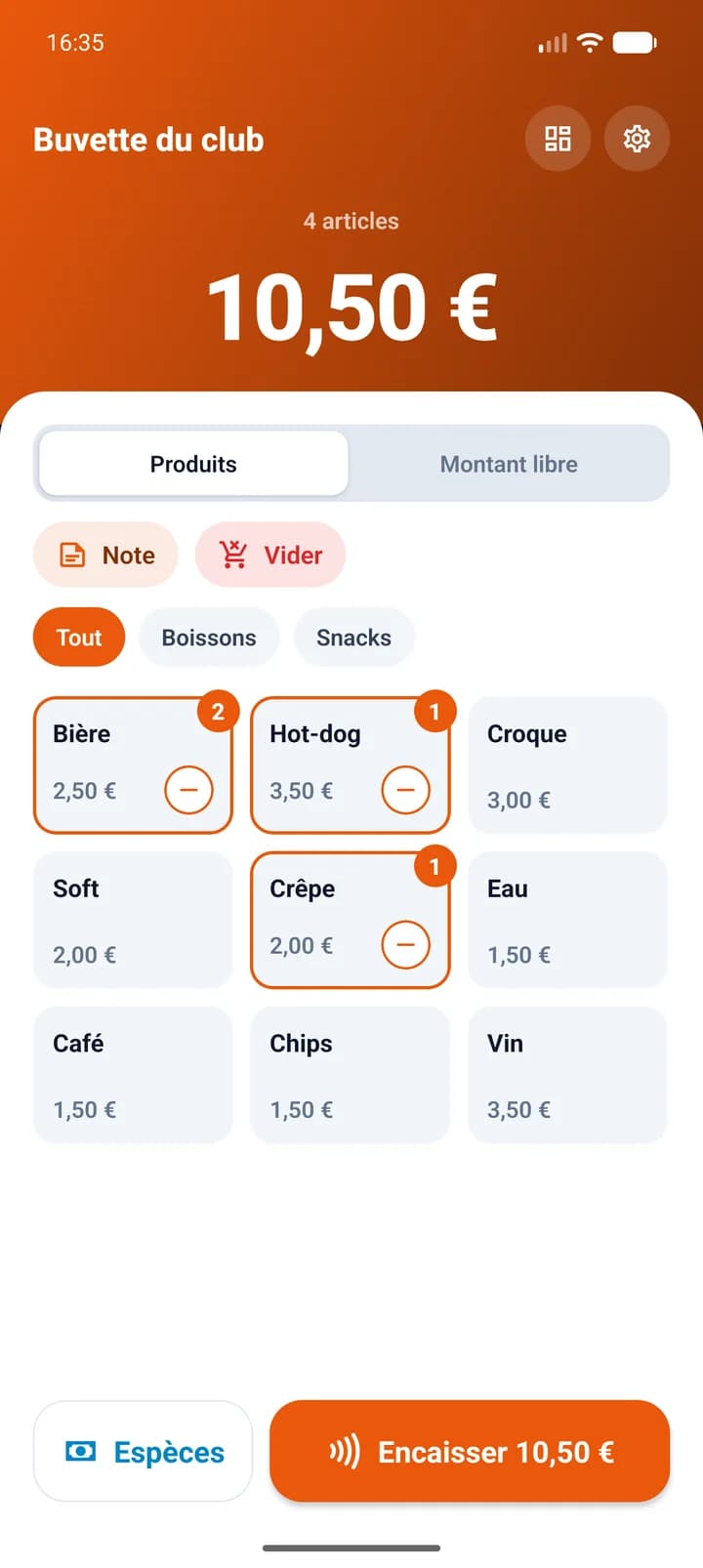
Everything you need to run the till
Unlimited sellers, no account access
Each volunteer gets a simple code and takes payments. They never see the figures, refunds or payouts.
Catalogue or custom amount
Your products as buttons sorted by category, or an amount typed on the keypad for a job, a deposit or a consultation: a catalogue is optional.
Card, QR code and cash
Contactless card payments, a QR code to scan with Bancontact in Belgium or iDEAL in the Netherlands, and cash sales recorded in the same till.
Receipts without a printer
Customers get their receipt by email or by scanning a QR code.
Invoices for VAT-registered organisations
If your organisation is registered for VAT, the app also issues invoices for your business customers.
Reports for the treasurer
Sales by product, by day and by seller, with CSV export, for administrators only.
One plan, no commitment
For a regular activity or a single event: subscribe, then cancel whenever you like. Price includes VAT.
Monthly
7 days free€5 / month
Club, shop, one-off event
- No commitment, cancel at any time
- Unlimited sellers and phones
- All included: maintenance and support
For organisations established in Belgium, Luxembourg and the Netherlands. 7-day free trial, unless you have already had a trial on another Xeron plan.
Built on Stripe Connect: money goes straight to your own Stripe account and Xeron never touches it. The account stays yours, even if you stop using XeronPay.
Visa, Mastercard, Maestro and American Express accepted. Most recent bank cards from Belgium, Luxembourg and the Netherlands also carry a Visa or Mastercard logo. Stripe’s per-transaction fees, by card or QR code, are paid by the organiser.
XeronPay at a glance
| Price | €5 a month including VAT, no commitment |
|---|---|
| Hardware | An Android 13 or later smartphone with NFC, no terminal or card reader |
| Accepted payments | Contactless Visa, Mastercard, Maestro and American Express, Apple Pay and Google Pay; Bancontact (Belgium) or iDEAL (Netherlands) QR code; cash |
| Fees per payment (Stripe) | European card: 1.4% + €0.20; Bancontact: €0.35; iDEAL: €0.29; cash: none |
| Money taken | Paid into your own Stripe account, then into your bank account |
| Countries | Belgium, Luxembourg and the Netherlands |
| App languages | French, Dutch and German |
| Sellers | Unlimited, each with their own code, with no access to the figures |
Stripe public prices recorded on 27 October 2026. Xeron takes no commission on sales.
Learn more: accepting card payments without a terminal
Frequently asked questions
Which phone do I need?
An Android smartphone with NFC, running Android 13 or later, with the Play Store and a security update from the past year, connected to the Internet. No terminal or card reader: the phone is enough. The iPhone version will follow.
Which countries is XeronPay available in?
Belgium, Luxembourg and the Netherlands: your organisation must be established there. The app applies the VAT rates of these three countries on receipts and invoices.
What if the customer has no contactless card?
They can scan a QR code shown on the phone and pay with the Bancontact app or their banking app in Belgium, or with iDEAL in the Netherlands. In Luxembourg, the till accepts cards and cash.
Where does the money go?
To your own Stripe account, then to your bank account by automatic payout. XeronPay is built on Stripe Connect: Xeron never touches the money and your Stripe account stays yours, even if you stop using XeronPay.
What about a single event?
The subscription has no commitment: subscribe for your event, then cancel. The till stays open until the end of the paid month. If you have not yet had a trial on another Xeron plan, the subscription starts with a 7-day free trial.
How much do card payments cost?
On top of the XeronPay plan, Stripe charges its fee on each payment, at its public rate: on 27 October 2026, 1.4% + €0.20 for a European card with Tap to Pay, €0.35 per Bancontact payment and €0.29 per iDEAL payment. Xeron takes no commission on your sales.
Can my volunteers see the figures?
No. Sellers sign in with a code and can only take payments and view their own receipts. Reports, refunds and settings are for administrators only.
Can I refund a customer?
Yes. An administrator can refund all or part of a sale from the app, and the customer’s receipt shows the refund.
Which languages is the app available in?
French, Dutch and German. Each phone can pick its own language, and receipts follow the language of the sale.